Desklog
Open a blank page and start typing — that's the whole app.
Tag a task [Now] and it quietly becomes your GTD system too.
Two ways to use it
Just a notepad
Sign in and start typing. No folders to create, no project to set up, nothing to configure. Write the way you think — headings, bullets, checkboxes — and it renders itself as you go.
It syncs automatically across your devices, so the note you started on your laptop is there on your phone. That's genuinely the whole app, if that's all you want from it.
A standalone Desklog app for exactly this may be next — this web version is where it starts.A GTD system, when you want one
Add [Now], [Later], [Assign], or [Park] next to a checkbox and hit Today to see exactly what's urgent, right now — no separate GTD app, no setup ritual.
The cap of 5 in [Now] isn't a limitation — it's the point. It forces the honest question: what actually fits today.
Most tools demand your attention.Built for people who write tasks the same way they think — freely, quickly, without ceremony.
This one earns it.
01 — Focus mode
Click any line to edit it as plain text. Leave the line — it renders into a heading, a tagged task, a checkbox. No toolbar, no mode switch, no friction.
Use ### Name for a section, Name | task for a one-liner, [ ] for a checkbox. Write naturally — the tool understands, and it autosaves as you go.
02 — Today's Focus
[Now] for today, urgent and important. [Later] for important but not now. [Assign] for urgent but not yours. [Park] for set-aside, not deleted.
Tap Today and see the board update live — no separate view to maintain, it's read straight from the notes you already wrote.
03 — AI, for the GTD system Coming soon
Four buckets and a bracket tag is a small enough surface that AI can actually help maintain it, instead of guessing. That's the plan:
Tag your new lines automatically. Re-sort the overflow when [Now] passes 5. Nudge you when a bucket — usually [Park] — quietly piles up.
[Now]? AI re-sorts the overflow down — never blocks you.
04 — AI Tidy
Write fast and messy — that's how thinking works. When you're ready, click ✦ Tidy. Claude fixes spelling and grammar, removes duplicates, and makes every task start with an action verb.
Your notation — checkboxes, tags, headings, bullets — is preserved exactly, whether you're using Desklog as a plain notepad or a tagged GTD list. Only the prose gets polished.
05 — Client & project tagging
Two natural patterns — no new syntax to learn. Use ### Client to open a section with multiple tasks under one client or project. Use Client | task for a quick one-liner.
Both render the same amber label. Juggling five clients looks exactly as simple as juggling one — and it combines with bucket tags, if you're using both.
06 — Built-in time tracking Bonus
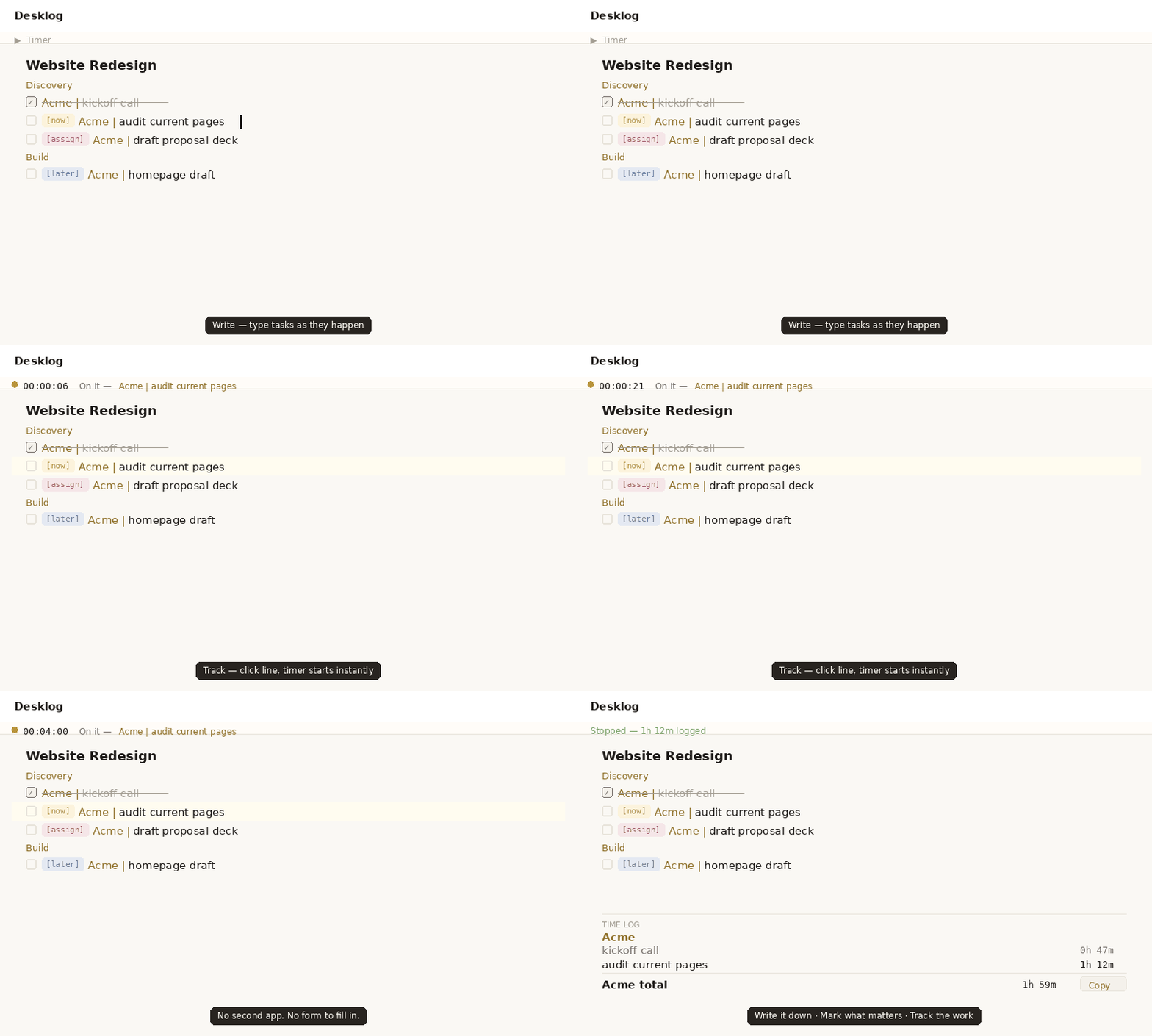
Click any line and hit Start — the timer runs, tied to that exact task. Stop it, and the time is logged and grouped under the right client automatically.
At invoice time, every group is already totaled. Click Copy for a clean plain-text report, ready to paste anywhere.
Most productivity tools are built to hold data. This one was built to be used daily — which means it has to feel good to open, not just functional to interact with.
The palette is parchment editorial: warm ivory page, pure white surfaces, warm near-black text that reads like ink. The amber accent appears only where it earns its place — the [Now] tag, an active timer, the running state spine.
That restraint is deliberate. Whether you're using this as a five-second scratchpad or a full GTD system, it should never feel like you're operating machinery.
Sign in with Google. Use it as a notepad, a GTD system, or both — nothing to set up either way.
Open Desklog →Works in any browser · Syncs across devices